Shopify Products and Collections Quick Editing Tool Privacy Policy
本扩展专为 Shopify 店铺运营人员设计,帮助用户从 Shopify 店铺前台页面一键跳转到对应的后台编辑页面。
使用方法:
- 在浏览器中打开任意 Shopify 店铺的产品详情页(/products/xxx)或产品系列页(/collections/xxx)。
- 点击浏览器工具栏中的扩展图标。
- 扩展会自动识别当前页面类型(产品或产品系列),获取对应的资源 ID 和店铺信息,生成 Shopify 后台编辑链接。
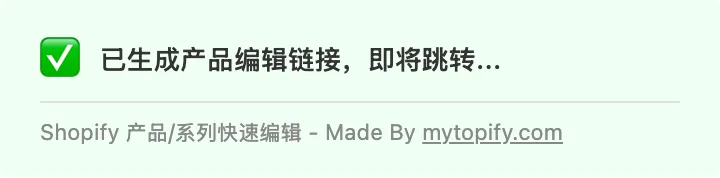
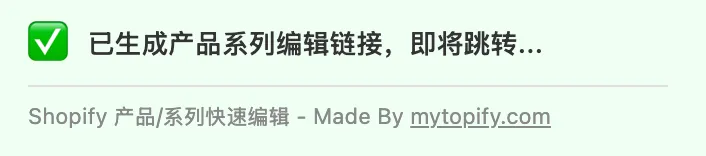
- 链接生成后会自动在新标签页中打开对应的 Shopify Admin 编辑页面,方便用户直接编辑产品或产品系列信息。
支持的页面类型:
- 产品页面(/products/[handle])→ 跳转到 Shopify Admin 产品编辑页
- 产品系列页面(/collections/[handle])→ 跳转到 Shopify Admin 产品系列编辑页
本扩展程序仅根据浏览器 URL 生成对应的 Shopify 产品或产品系列生成对应的编辑链接,不收集任何信息。
This extension is designed for Shopify store operators, enabling one-click navigation from the Shopify storefront to the corresponding admin editing page.
How to use:
- Open any Shopify store's product detail page (/products/xxx) or collection page (/collections/xxx) in the browser.
- Click the extension icon in the browser toolbar.
- The extension automatically detects the current page type (product or collection), retrieves the corresponding resource ID and store information, and generates the Shopify Admin edit link.
- Once the link is generated, it automatically opens the corresponding Shopify Admin editing page in a new tab, allowing users to directly edit product or collection details.
Supported page types:
- Product pages (/products/[handle]) → Navigate to the Shopify Admin product editor
- Collection pages (/collections/[handle]) → Navigate to the Shopify Admin collection editor
This extension only generates corresponding edit links for Shopify products or collections based on the browser URL, and does not collect any information.
应用截图